Your family's money,
calm and clear.
കുടുംബ ബജറ്റ്, ലളിതമായി
Scan a receipt and 1Curated reads it, sorts it and updates the budget on its own — in plain language, right on your device. No bank linking. No paid APIs. Receipts never leave your machine.
Free while we build. No credit card, no ads, no data sold.
Real-time insight on the whole household's spending, the moment a receipt is scanned.
$15.99 · found automatically
In 2 days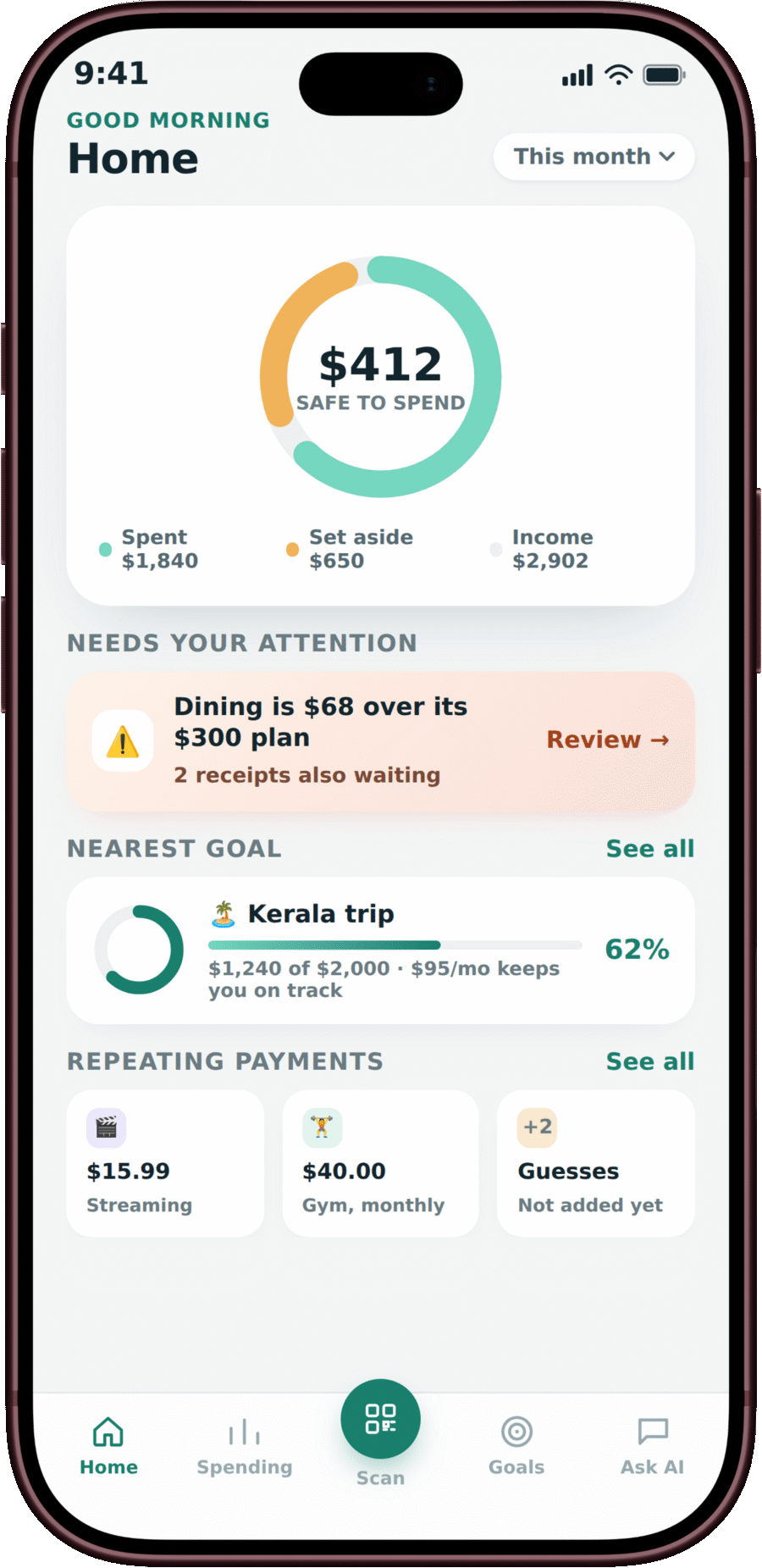
+$95 this month · $1,240 saved
Receipts → done
Snap a receipt. 1Curated does the sorting.
OCR reads the merchant, date, tax and every line item in about half a second, then categorizes it from your household's own past spending — not a generic list. Every field gets a confidence score, so nothing shaky gets saved without a glance from you.
Try scanning a receipt →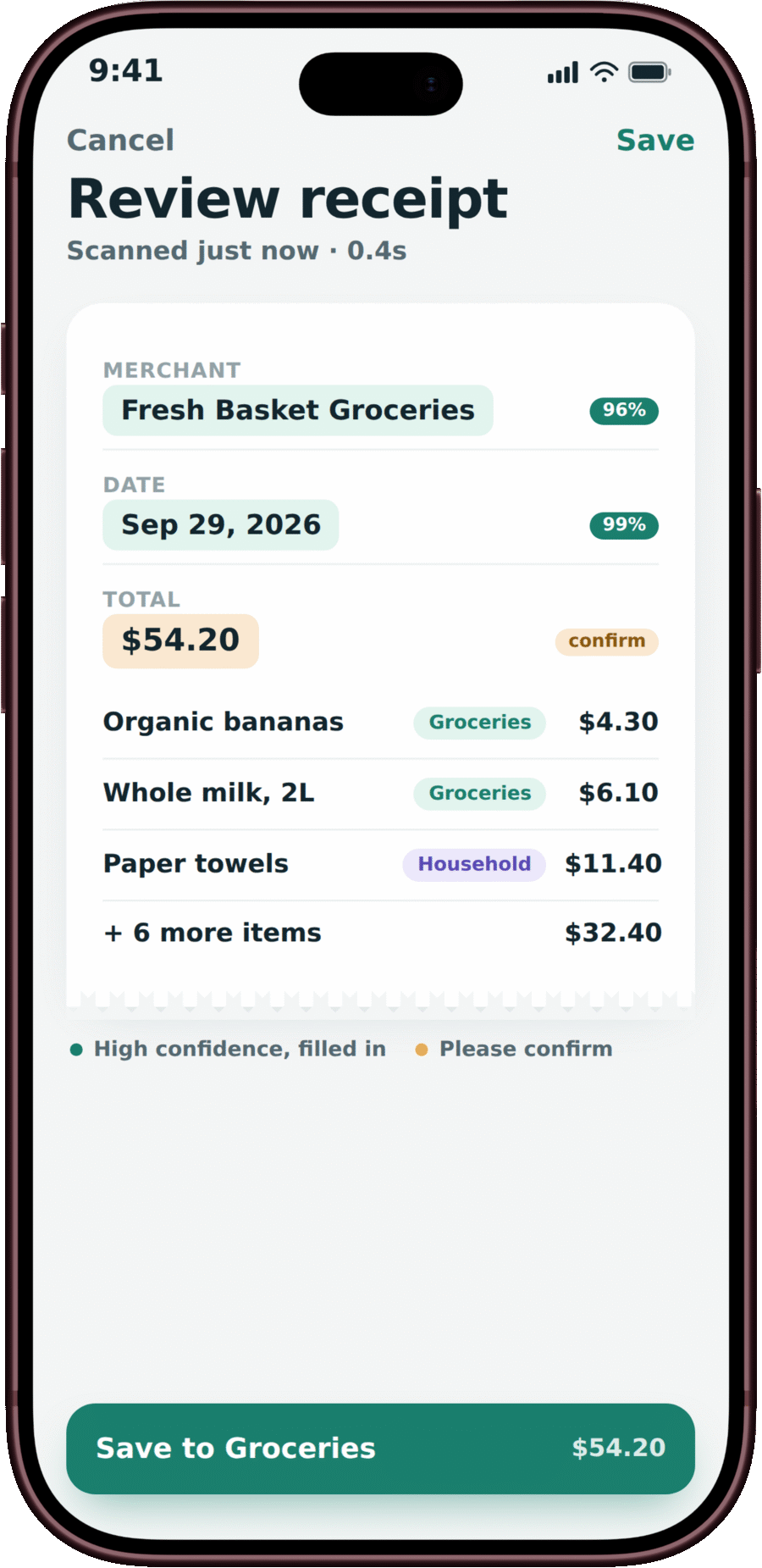
One glance, every morning
See what needs you, not everything at once.
Home is one number — what's safe to spend — plus whatever's actually urgent today: a bill due, a category over its limit, a receipt waiting. Everything else sits one tap below, quietest first.
See how the budget updates →Savings goals
Watch a goal get closer, not just further away.
Set a target and a date, and 1Curated shows the monthly amount that gets you there — before you save it, not after. Contributions and the plan chart update the moment money moves.
Set your first goal →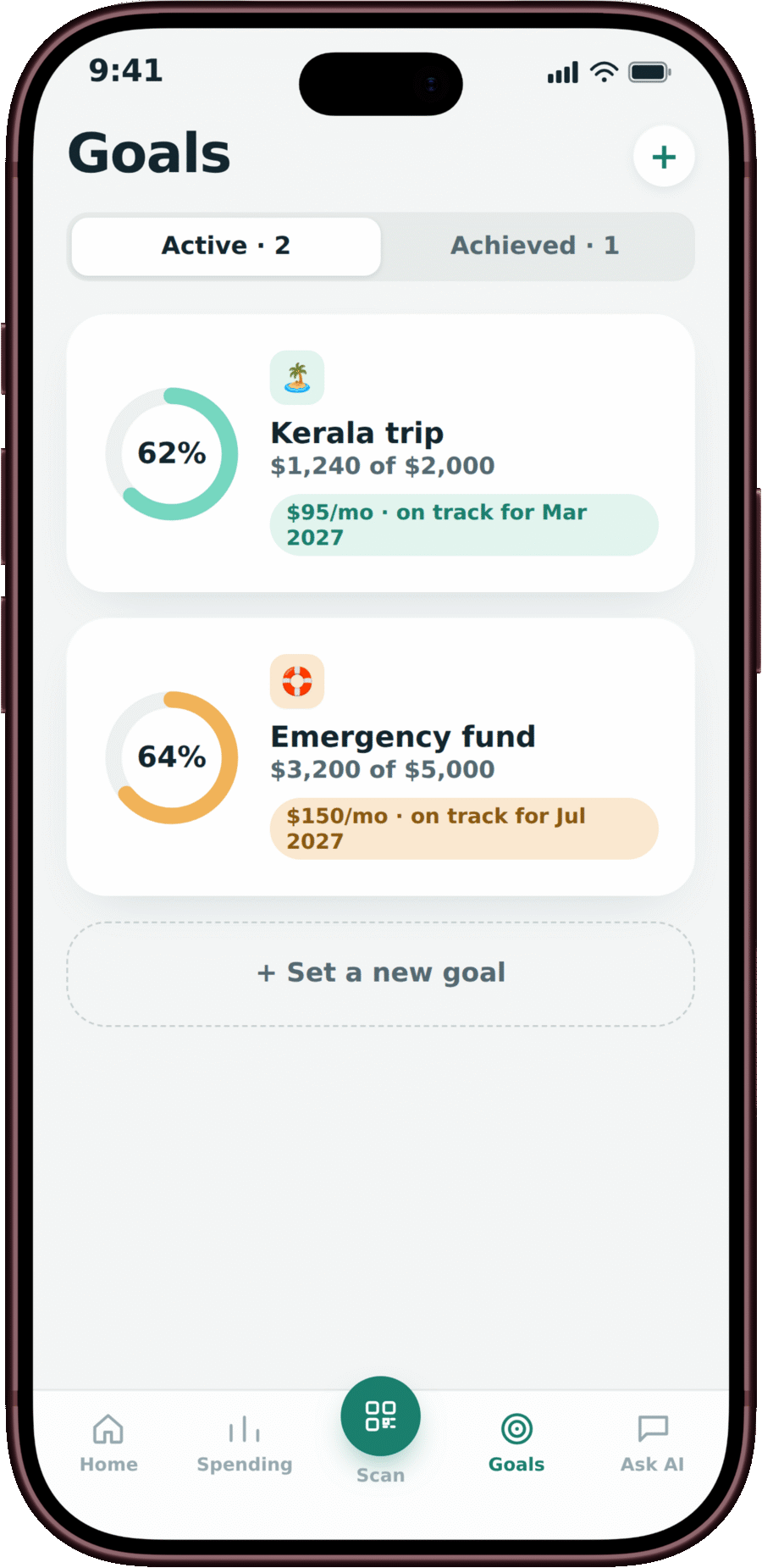
Explore more
The rest of the picture
Everything a family's money actually needs, without a feature you'll never open.
Split one receipt, many ways
Line items can carry their own category. The totals always balance back to the receipt.
Ask AI, read-only
"Can we afford the trip by March?" It shows the numbers it used and the assumptions behind them — never invents one.
Reports that open into proof
Every total on a report opens the exact expenses behind it — a month, three months, or a year.
A real household, not one login
Invite codes, roles, allowances for teens with their own view, and an activity log for the whole family.
How it works
Three steps, and the budget is already updated
Scan
Photo, file, or your phone's camera. JPG, PNG or PDF, up to 10 MB.
Review
High-confidence fields are already filled in. Anything under 90% waits for your yes.
Done
The budget, the category and the nearest goal update immediately. Nothing else to do.
Privacy
Your receipts never leave your machine.
Nothing invented
If OCR can't find a total, the field stays empty and flagged — never guessed. Every assistant answer is calculated from your approved records, not generated. A reply with a number that wasn't calculated is thrown away before you see it.
Nothing sold, nothing linked
OCR runs locally with open-source tools. No bank connection, no paid third-party APIs. Delete your account and it's gone — shared budgets keep past totals only as "Deleted member," nothing identifying.
Add it to your home screen
1Curated installs like a native iPhone app — translucent tab bar, its own icon, an animated launch screen. Add an expense with no signal and it syncs the moment you're back online.